Post Smarter. Retain Longer. Reach the FYP.
The comprehensive reference manual for creators and growth teams: retention curves, viewport safe margins, acoustic ASR parsing, and search indexing.

1. Core Algorithmic Distribution Drivers
What the TikTok recommendation engine quantifies in initial batch testing.

The 1.5-Second Visual Hook
Over 50% of viewer drop-off happens within the first two seconds. Avoid slow introductions, channel logos, or verbal greetings.
- Start in the middle of active movement or conflict.
- Place the core payoff premise on frame zero in bold text.
- Change visual angles or graphics every 2.5 to 3 seconds.
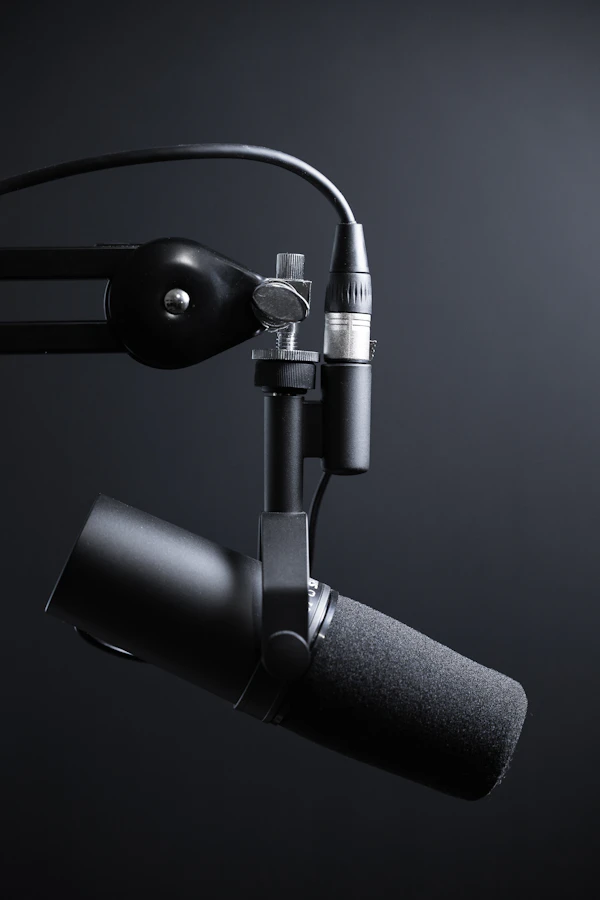
Acoustic Clarity & ASR Parsing
TikTok automatically transcribes dialogue to categorize videos for search queries. Muddy audio limits distribution.
- Enunciate primary search keywords in the first 3 seconds.
- Master primary vocals between -3 dB and -6 dB.
- Duck background trending sounds down to 3%–5% volume.

Save & Share Density
Likes indicate passive appreciation. Saves and external direct shares signal high practical utility to the ranking engine.
- Build information-dense resources worth bookmarking.
- Present steps rapidly so viewers pause or replay.
- End with clear takeaways that viewers will want to reference later.
2. Viewport Safe-Zone Simulator
Ensure text overlays and critical visual elements are never obscured by native TikTok UI components.

Interface Occlusion Protection
Text placed in the bottom 320px or within 120px of the right rail will be obscured by likes, comments, and captions. Always center subtitles within the safe action zone.
3. Strategic Posting Windows & Velocity Buffer
How posting 30 to 60 minutes prior to audience surges enables initial test batches to clear before peak traffic.

| Day | Primary Window (EST) | Secondary Slot | Algorithmic Context |
|---|---|---|---|
| Tuesday | 9:00 AM – 11:00 AM | 2:00 PM – 4:00 PM | Highest weekday conversion; office break browsing. |
| Wednesday | 7:00 AM – 9:00 AM | 3:00 PM – 5:00 PM | Commute scrolls and mid-afternoon energy slump. |
| Thursday | 10:00 AM – 12:00 PM | 6:00 PM – 8:00 PM | Sustained engagement leading into evening relaxation. |
| Saturday | 10:00 AM – 1:00 PM | 7:00 PM – 9:00 PM | Peak total volume for recreational, long-form content. |
| Sunday | 8:00 AM – 10:00 AM | Avoid Late Evening | High morning focus; sharp drop-off after 7:00 PM. |
4. Interactive Retention & Watch-Time Calculator
Adjust your video duration to identify required completion benchmarks for algorithmic tier promotion.
Drag the slider to update required view-through metrics dynamically.
5. Format Selection: Matching Objectives to Asset Types
Align production workflows to specific audience behaviors.

Ultra-Short Loop
Engineered strictly for replay velocity. Uses continuous-loop audio and visual payoffs that resolve at the exact first frame.

Narrative Breakdown
Prioritizes high average watch duration over full completion. Requires structural pattern interrupts every 3 seconds to preserve retention curves.

Multi-Slide Swipe Deck
Generates extended dwell time as users manually swipe through slides. Re-engages viewers automatically in feed if not swiped on first impression.
6. TikTok SEO & Semantic Search Optimization
How to target the TikTok search bar and earn lasting organic discovery.
Voice Enunciation
TikTok’s automatic speech recognition translates dialogue into text. Say exact queries clearly without mumbling or burying them behind music.
On-Screen Text Overlays
Computer vision parses titles, subtitles, and labels. Use high-contrast text that matches the search intent of your audience.
Descriptive Captions
Write natural, descriptive captions rich in search keywords. Avoid generic, spammy tags that dilute relevance.
7. Critical Mistakes & Reach Reductions
Common issues that restrict videos to the 200-view testing cohort.
Watermarks & External Branding
Videos uploaded with visible third-party watermarks or logos are de-prioritized by recommendation systems.
Generic Keyword Clutter
Using generic hashtags like #FYP, #Viral, or #Explore dilutes audience targeting and weakens classification signals.
Slow-Paced Video Intros
Opening videos with greetings or delayed setups causes immediate drop-offs, keeping content trapped in Tier 1 testing batches.
Loud Background Audio
Background music levels exceeding -12 dB drown out vocal dialogue and disrupt accurate speech-to-text indexing.
8. Interactive Pre-Post Checklist
Complete this verification routine before publishing to maximize algorithmic reach.
Movement or visual disruption starts immediately on frame zero without blank space or fade-ins.
Subtitles, headings, and key subjects sit comfortably between 150px top and 320px bottom margins.
Primary target search keywords are clearly enunciated in the first 3 seconds of the voice track.
Trending background audio is ducked down to 3%–5% so primary speech remains completely intelligible.
Included 3 to 4 focused topic tags instead of broad generic hashtags like #FYP.
Publishing 30 to 60 minutes before your audience's primary activity peak to allow test batch evaluation.